Woodward Control Panel Generator – User Guide Explained
The Woodward Control Panel Generator User Guide provides comprehensive instructions on operating the Woodward DSC50 control panel for generators and remote ATS or AMF systems. Key features include understanding the layout, startup process, operating modes (Manual, Automatic, Test), and real-time monitoring of parameters like voltage and frequency. The guide outlines procedures for control functions including starting and stopping, as well as handling alarm codes indicating various operational issues. It also explains alarm classifications—Class B (non-disruptive) and Class F (shutdown)—with specific fault messages for maintenance. For further assistance, Power Continuity offers 24/7 support.
Woodward Control Panel Generator USER GUIDE explains how to operate a Woodward DSC50 control panel in a generator or in a remote Automatic Transfer Switch (ATS) or AMF ( Automatic mains transfer panel). The Woodward DSC50 control panel is a user-friendly interface that allows for efficient control and monitoring of generators and transfer systems. The guide will explain its layout, buttons, display screen, and indicators, helping you become familiar with its features and functionalities.
When it comes to starting up the generator or transfer panel, the guide will walk you through each step in detail. This includes checking the power source, ensuring adequate fuel levels, and engaging the starter motor. It will provide specific guidelines, considerations, and precautions to ensure a successful startup, regardless of the application.
Understanding the different operating modes available, such as Manual, Automatic, and Test modes, is crucial. The guide will explain the purpose and capabilities of each mode, allowing you to select the appropriate one based on your specific operational requirements.
Monitoring parameters in real-time is essential for ensuring optimal generator performance. The guide will explore key parameters like voltage, frequency, fuel levels, and engine temperature, teaching you how to access and interpret this information on the control panel's display screen. Additionally, it will instruct you on setting up alarms and alerts to stay informed about critical system conditions.
Control functions play a vital role in operating the generator or initiating transfers between power sources. The guide will provide clear instructions on starting, stopping, and controlling various aspects of the generator or transfer panel. It will ensure you understand the proper sequence of actions needed to perform these functions safely and effectively.
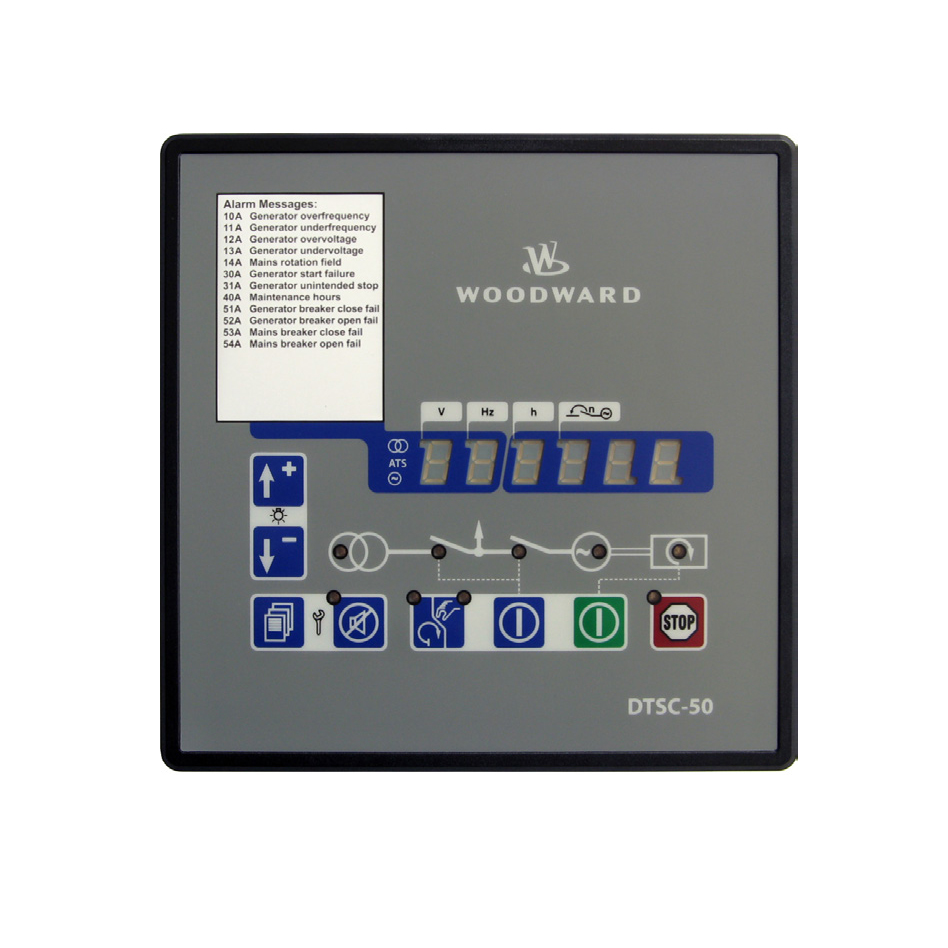
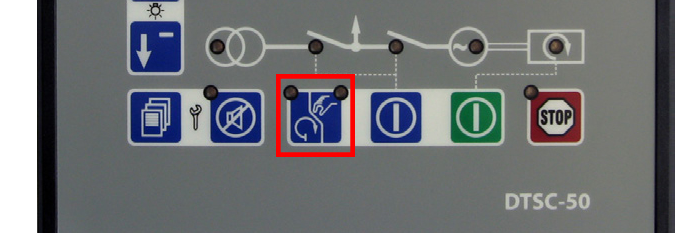
Manual / Automatic Operation of Woodward Control Panel Generator
To change between manual and automatic operation mode, press the button highlighted below.
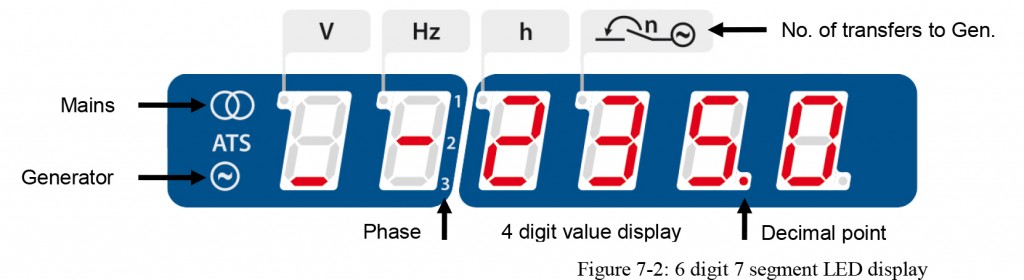
Voltage / Frequency Measurements on a Woodward Control Panel Generator
To change between manual and automatic operation mode, press the button highlighted below.
The array of seven segment displays display both the operating values (frequency, voltage) for both the generator and the mains.
To scroll through the operating values, use the scroll button 
Fault Codes on the Control Panel
Woodward DSC50 control panel The alarm code will show on the display as a two digit number followed by the letter A.
There are two types of alarm.
- Class B which is an Alarm only. This alarm will not interrupt the operation of the changeover panel.
- Class F which is a Shutdown alarm. The Generator Circuit Breaker will be opened immediately and the engine will be stopped without cool down period.
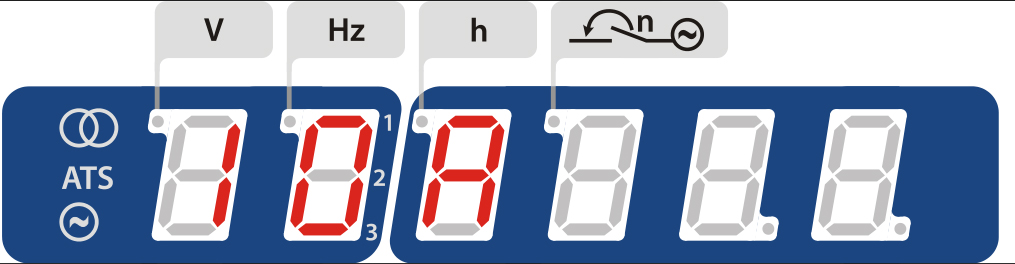
The following are the possible alarm messages:
- 10 – Generator overfrequency
- 11 – Generator underfrequency
- 12 – Generator over-voltage
- 13 – Generator undervoltage
- 14 – Mains rotation field mismatch
- 30 – Start fail
- 31 – Unintended stop
- 40 – Maintenance hours
- 51 – Generator breaker close failure
- 52 – Generator breaker open failure
- 53 – Mains breaker close failure
- 54 – Mains breaker open failure
For more information please contact Power Continuity on 0845 055 8455. We’re here to help 24/7
Visit these pages too…..
https://powercontinuity.co.uk/custom-built-generators/
https://powercontinuity.co.uk/knowledge-base/what-are-automatic-mains-transfer-panels/
https://powercontinuity.co.uk/automatic-mains-failure-amf-transfer-panel-how-do-they-work/