Generators – How to manually switch Socomec Motorised Switch
The automatic changeover panel typically switches between mains and generator power autonomously. In cases where the motorised switch fails, users can manually operate a Socomec AtyS motorised switch. To do this, open the switch's transparent cover and use an allen key to switch sources. Note that opening the cover places the switch in manual mode, and the switch returns to automatic operation once the cover is closed. For assistance, contact Power Continuity.
Most of the time your automatic changeover panel will happily automatically change from mains to generator and back on its own. What happens though on that one occasion where there is a problem with the motorised switch and it doesn’t change over? Whilst waiting for an engineer to attend, what can you do to get your power to your building on? Well its actually very straight forward. If it is a Socomec motorised switch, follow the instructions below.
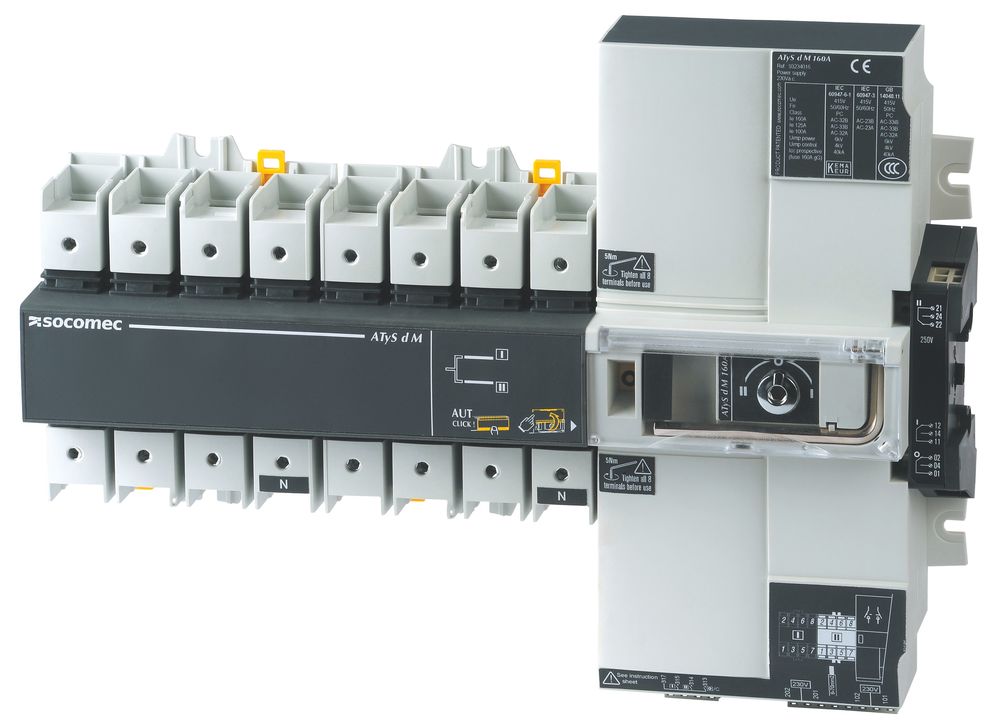
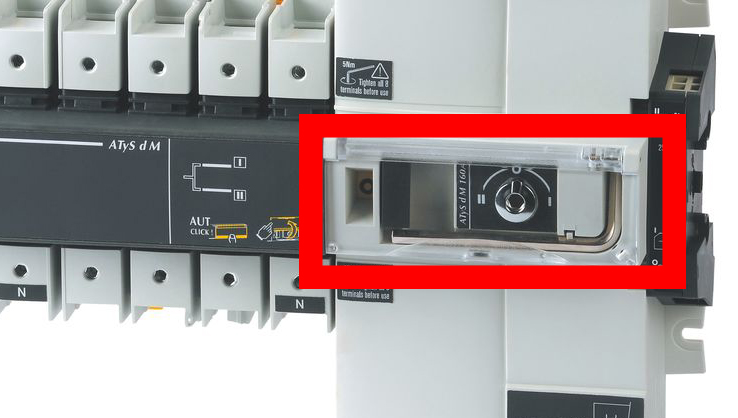
To manually switch the Socomec atys switch, open the transparent cover on the front of the switch. Using the allen style key, switch from one source to the other. Whilst the cover is open, the switch is in manual mode and will not operate. Once the cover is closed again, the Socomec motorised switch is back into automatic operation.