Generators – How to manually switch ABB Motorised Switch
Automatic changeover panels, specifically using ABB motorised switches, generally ensure seamless power transitions between mains electricity and diesel generators. However, when malfunctions occur, it’s crucial to know how to restore power while waiting for an engineer. The steps include: 1) Assessing the situation to identify the problem; 2) Ensuring safety; 3) Engaging manual mode on the switch; 4) Switching to diesel generator power; 5) Monitoring the power supply; 6) Contacting professional assistance; and 7) Following the engineer's instructions when they arrive. It's important to consult the user manual for specific guidance and ensure safety throughout the process.
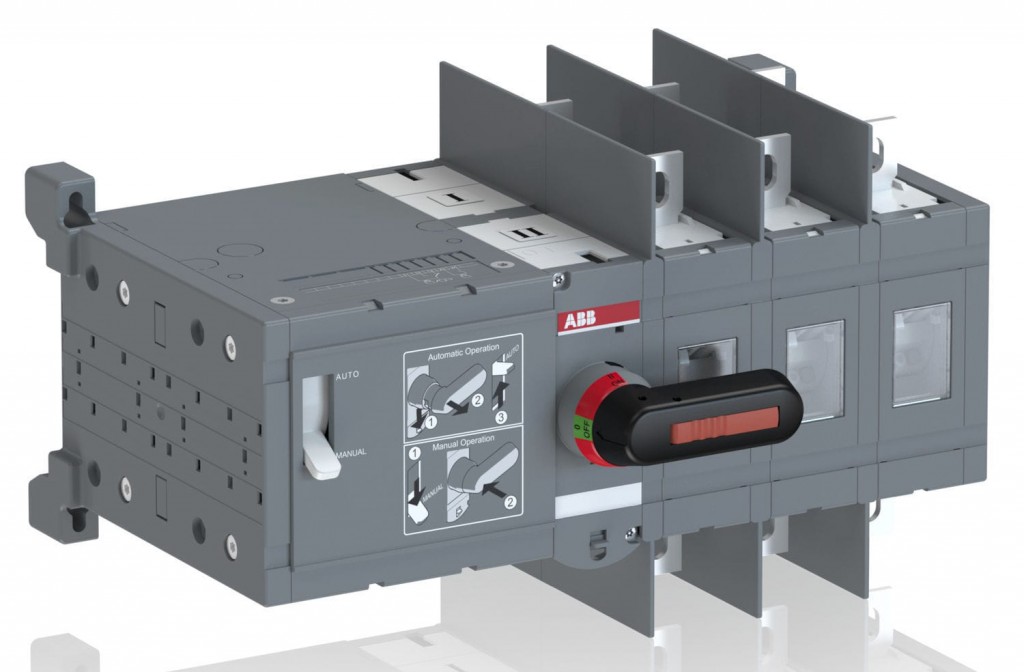
In many instances, automatic changeover panels function flawlessly, smoothly transitioning between mains power and diesel generator power to provide uninterrupted electricity to your building. However, it's important to acknowledge that electrical components, including motorised switches, can encounter malfunctions, leading to the disruption of the changeover process.
During these rare occurrences, understanding the correct steps to restore power becomes paramount, particularly while awaiting the arrival of an engineer to address the issue. Fortunately, the process is typically straightforward, specifically when working with an ABB motorised switch. If you find yourself in this situation and have the luxury of an ABB motorised switch, you can follow the instructions provided below to assist in restoring power to your building:
Here's a step-by-step guide to help you navigate through this situation:
1- Assess the situation: Firstly, you need to determine whether the problem lies solely with the motorised switch itself. Check if the diesel generator is functioning properly and if there are any other visible issues that could be causing the power failure.
2- Safety first: Before attempting any kind of troubleshooting or maintenance, always prioritise your safety and the safety of others. Ensure that the area is secure and that you follow any safety guidelines or procedures provided by your company or local regulations.
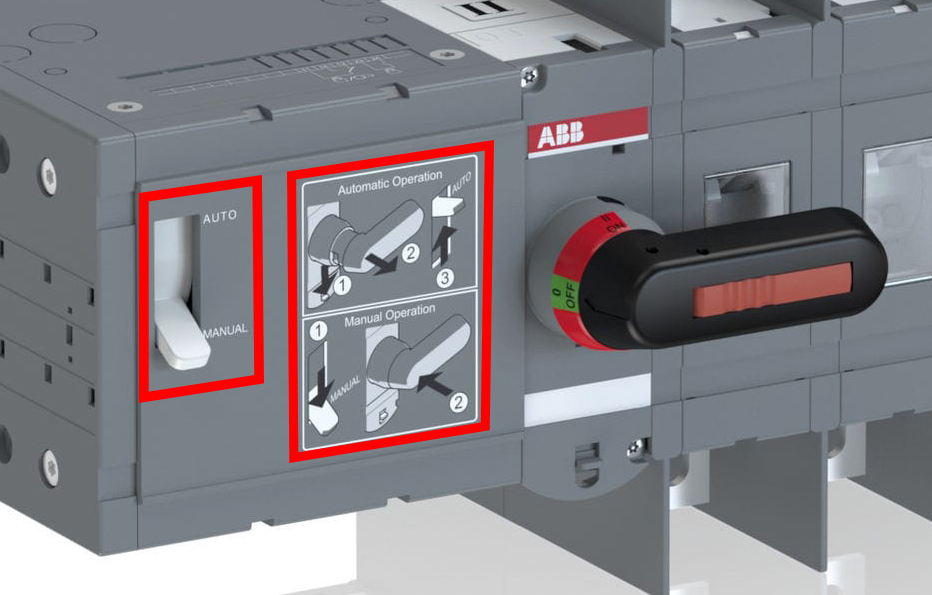
3- Manual mode: Most motorised switches, including ABB switches, have a manual mode that allows you to manually override the automatic operation. Locate the manual override switch or button on the switch panel. Refer to the user manual or contact the manufacturer for specific instructions on how to engage the manual mode.
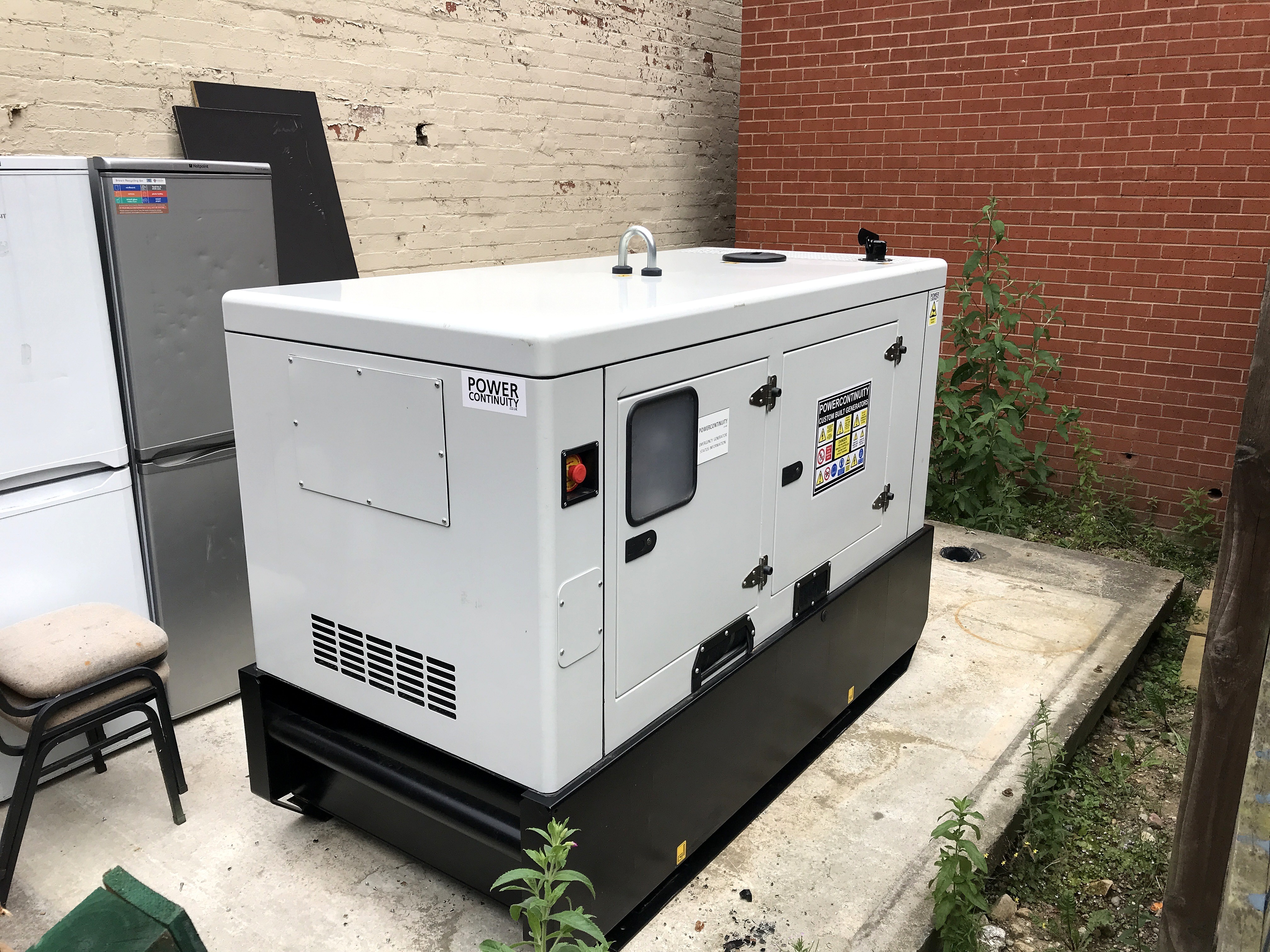
4- Switch to diesel generator power: Once in manual mode, you can manually switch the power source to the diesel generator. This should allow power to flow into your building while you await professional assistance.
5- Monitor power supply: Keep an eye on the power supply to ensure it remains stable and that there are no further complications or interruptions. Document any observations or issues that arise, as this information will be helpful for the engineer when they arrive.
6- Call for professional assistance: While you might have temporarily restored power to your building, it is crucial to notify an engineer of the situation. Contact your service provider or a qualified professional to inform them about the motorised switch issue and request assistance.
7- Follow engineer's instructions: When the engineer arrives, follow their instructions closely and provide them with any relevant information you have gathered during your troubleshooting. This will help them diagnose and rectify the monitored switch problem more efficiently.
Remember, this step-by-step guide provides a diesel general overview of what you can do in the event of a motorised switch failure. Always consult the user manual or contact the manufacturer for specific instructions regarding your particular ABB motorised switch model. It is also important to note that working with electrical equipment can be dangerous, so if you are not confident or experienced in handling such situations, it is best to wait for professional assistance.